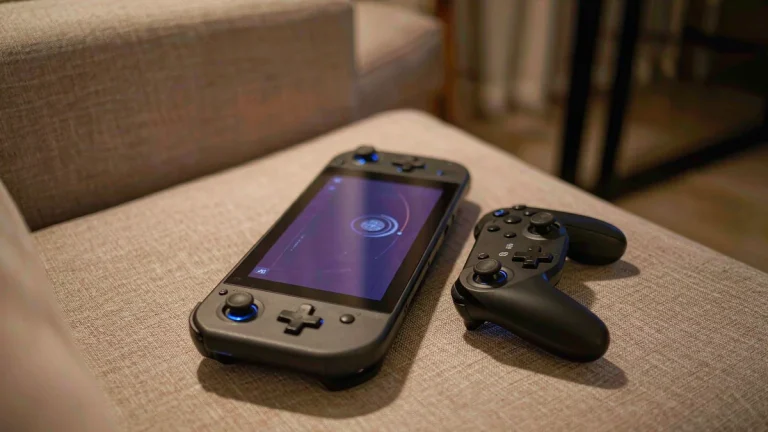
A Switch 1 Pro Controller pairs with a Switch 2 in about ten seconds. The dock that shipped in the same box will never work again.
That split is the whole story. Nintendo kept the Bluetooth stack and threw out most of the plastic around it. If you are moving to a Switch 2 and wondering what to keep, the answer depends less on whether a thing connects and more on whether it can be charged, seated, or powered where it now needs to sit.
The pads still pair. The rails do not.
Nintendo’s backward compatibility list is where to start, and controllers are the easy part. They cover most of what people already own. Joy-Con, the Pro Controller, the NES and SNES pads, the N64 controller, the SEGA Genesis pad, and the GameCube controller adapter all work on a Switch 2.
The list of Switch 1 accessories on Switch 2 is longer than most people expect. But how they connect matters more than the grid suggests.
- Joy-Con: pairs wirelessly. Cannot attach to the console. Cannot charge from it.
- Pro Controller: pairs wirelessly, and charges over USB when plugged into the Switch 2 dock.
- SNES, N64, Genesis pads: pair wirelessly and charge the same way, over USB from the dock.
- NES pad: pairs wirelessly but cannot charge from the Switch 2 at all.
- GameCube adapter: works in TV mode through a USB port on the dock.
The retro pads carry a footnote — they only work with games that support them. That is not a Switch 2 limitation. It was true on Switch 1 as well, and Nintendo has kept the same rule.
The two that cannot take a charge
The Joy-Con and NES lines are where the trouble starts. Neither can draw power from the new console. Nintendo’s own accessory page says you need a Switch 1 console, or an accessory such as a Joy-Con charging grip or the two-way charging stand, to top them up.
Read that again as a purchase decision. If you sold your Switch 1 to fund the upgrade, your old Joy-Con now need a charger you do not own. And that charger costs money. Nobody puts it on the list before moving house.
Three functions that quietly stopped working
This is the part the compatibility grid does not show, and it is where most of the frustration lives.
Nintendo states it plainly in the support notes: when you use a Switch 1 controller on a Switch 2, the HOME button cannot wake the console from sleep mode. You have to press the power button on the console itself, then pick up the controller.
Two more features go with it. “Search for Controllers” does not work, so a pad that has slid under the couch stays lost. The alarm feature does not work either.
None of these break anything. Together they change the shape of daily use. Waking a console with the pad in your hand is one of those small conveniences you only notice once it is gone, and every session now starts with a small walk to the TV stand.
There is a fourth gap worth knowing. The system supports up to seven controllers connected wirelessly at once, which is the same ceiling as before, so local multiplayer is fine. The limit is not the issue. The absent wake button is.
Wired mode on the Pro Controller is not automatic
Plugging a Switch 1 Pro Controller into the dock with a USB cable charges it. It does not switch the pad into wired communication on its own.
You have to turn that on by hand: System Settings, then Controllers and Sensors, then enable wired communication for the Pro Controller. Nintendo says this explicitly, and it is easy to miss because the cable already appears to be doing something.
For most people this will never matter. Bluetooth is fine. For anyone chasing input latency in a fighting game or a platformer, the manual toggle is the difference between thinking wired mode is broken and actually using it.
What no longer carries over
This is the expensive half of the answer, so it is worth being blunt about it.
The Switch 1 dock does not work with a Switch 2. Neither does the adjustable charging stand. The HDMI cable that came with the original console does not work either, because the HDMI standard it was built to is not the one Switch 2 wants.
The AC adapter is the interesting case. Nintendo says it is not compatible, then adds a qualifier that changes the practical answer: the power output is too low to run Switch 2 in TV mode, but it can still charge the console when plugged in directly.
So the brick is not landfill. It is a slow charger. Keep one in a bag for travel and it will do the job overnight, as long as you are not expecting to play on a television.
- Keep: the AC adapter, as a travel charger.
- Keep: the HDMI cable, if you still have a Switch 1 or anything else that uses it.
- Retire: the dock and the adjustable stand — neither has a second life on the new console.
The memory card catches more people than the dock
Switch 2 uses microSD Express cards only. A regular microSD card from your Switch 1 will not store games on it.
It still does one thing. You can put an old microSD card in and browse the screenshots and videos you captured on Switch 1, which makes it a reasonable way to carry old captures across without a PC in the middle.
So the card is a dead end for everything else. No game installs. No saves. If you are buying storage on day one, the card has to say Express on it, and the price difference between the two formats is real.
The same logic covers the small stuff. The Joy-Con strap, the grip, the charging grip, the wheel, the leg strap, the Ring-Con, and the AA battery pack were all built around the old rail, so none of them fit Joy-Con 2.
Two of those have a second life anyway. Nintendo notes that the leg strap still works with Nintendo Switch Sports and the Ring-Con still works with Ring Fit Adventure, as long as you connect Switch 1 Joy-Con wirelessly. The accessory is not obsolete. The connector is.
So what do you actually keep?
My read, after going through the compatibility list line by line: keep every controller you own and the power brick. Stop pretending the rest of the plastic has a future.
The controllers are the valuable part and they will outlast the console generation. A Pro Controller from 2017 still works, still charges through the new dock, and still feels better than most third-party pads. That is a good return on something you already paid for.
The dock, the stand, and the old HDMI cable are the parts to let go. They are cheap to replace relative to the console, and holding onto them only creates the illusion that a migration is cheaper than it is.
Where I would spend the money instead: one charging solution for old Joy-Con if you are keeping them, and one Express card if you plan to go all-digital. Those two purchases cover the gaps that actually interrupt play.
One thing I am not sure about yet is how the wake-button gap feels after a few months. It may fade into habit within a week. It may also be the reason people quietly buy a Switch 2 Pro Controller they did not plan on. Nintendo has not said anything about a firmware fix, and I would not wait for one.
But if you are still deciding whether the console itself is worth it, the accessory math is only half the bill. The other half is what your existing library does on the new hardware, which is a separate question with its own set of exceptions.