You sign up in one click. Cancelling takes a hunt through four settings menus, a chatbot, and a screen that asks “are you sure?” three times. That gap is not an accident. And in 2026, the federal rule that was supposed to close it no longer exists.
The shape is always the same. Signing up is frictionless. Cancelling is designed to be survivable only if you are stubborn. And companies know it. Their own documents keep saying so out loud.
This guide maps the whole thing. It shows how to cancel a subscription on every major platform, what the law actually requires right now, and what to do when a service simply will not let you leave.
Why cancelling is harder than signing up
For two years, the Federal Trade Commission worked on a rule that would have made this simple. Nicknamed “click to cancel,” it required that ending a subscription be at least as easy as starting one. The FTC finalized the rule in October 2024. Then it set a compliance date of July 14, 2025.
That deadline never arrived. On July 8, 2025, the Eighth Circuit Court of Appeals vacated the entire rule, finding the agency had skipped a required procedural step. Seven months later, in February 2026, the FTC restored the older version of the rule, which governs only prenotification plans like a 1970s book club. In March 2026, it started over with a new comment period.
So there is no federal click-to-cancel rule in force today. Most “how to cancel” articles still cite the 2024 rule. They describe it as if it passed. It did not.
But losing the rule did not leave you unprotected. Three older layers still apply, and in a few states they are stricter than the rule that got thrown out.
The first is ROSCA, the Restore Online Shoppers’ Confidence Act of 2010. It requires clear disclosure before a charge. It also requires a simple way to stop recurring payments. The second is Section 5 of the FTC Act, which bans deceptive practices. The third is a patchwork of state renewal laws, led by California’s.
The FTC showed those layers still bite in September 2025. It settled with Amazon over Prime for $2.5 billion. That was a $1 billion civil penalty, the largest in the agency’s history for a rule case, plus $1.5 billion in refunds to roughly 35 million customers. The order also forces Amazon to let people cancel through the same method they signed up with.
The economics explain the design. A subscription business lives on churn. Every extra click in a cancellation flow turns a few more people into people who give up and keep paying. That is the plan.
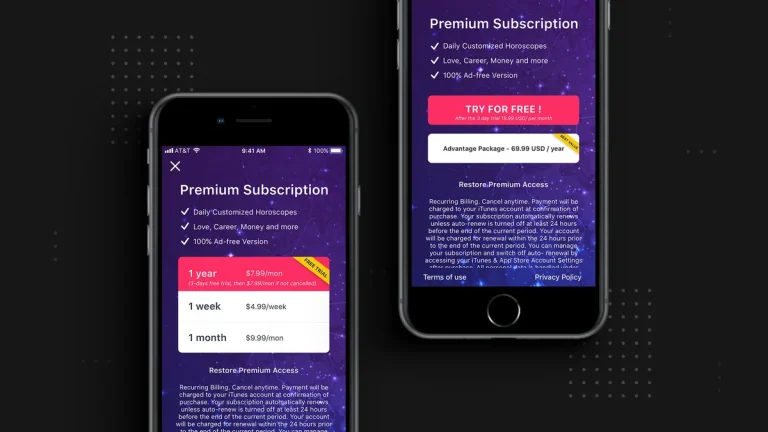
The trial is the sharpest version of the trick. A free trial feels like a test drive. In practice it is a delayed purchase. You hand over a card, and the clock starts. Most people who mean to cancel do it too late, and the first charge lands before the reminder does.
Dark patterns have names, which helps you spot them. There is the “confirmshaming” button that labels the exit “No thanks, I like paying more.” There is the “roach motel,” easy to enter and hard to leave. And there is the negative option, where staying silent counts as a yes.
What happens next is genuinely uncertain. The FTC’s March 2026 request for comments lists recent enforcement cases. It asks whether a new rule is needed.
Companies are watching that docket closely. So build the habit of cancelling on purpose. The rules will keep moving under you.
My read: enforcement is real, but slow. A ROSCA case takes years, and it lands on one company at a time. So do not wait for a regulator to fix a $14.99 monthly charge. The faster fix is knowing where the button is.
Where the cancel button actually is
Almost every subscription is billed by one of four parties. It is either Apple, Google, Amazon, or the company itself. First, work out who holds your billing.
That is most of the battle. Start with your email, not the app. The receipt names the biller.
| Who bills you | Where the cancel button is |
|---|---|
| Apple | Settings > your name > Subscriptions, then tap the item and choose Cancel Subscription. On a Mac it lives in the App Store under your name. |
| play.google.com, then Subscriptions, then Manage, then Cancel subscription. | |
| Amazon | Account, then Memberships and Subscriptions. Not your order history. |
| The company directly | Its billing page. Look for “manage plan,” not “cancel.” |
Once you know the biller, the path is short. On an iPhone, open Settings, then tap your name, then Subscriptions, then the item. You may have to scroll before the button appears. If you see red expiry text instead, it is already cancelled. Apple says to cancel a trial at least 24 hours before it ends, because renewals queue a day ahead.
On Android, it is easier. Go to play.google.com, open Subscriptions, and click Manage, then Cancel subscription. Uninstalling the app cancels nothing. That mistake is common, and it is expensive.
Direct billing is the messy case, and it is where the dark patterns live. The cancel control is often a small grey link under a bright “upgrade” button. Some services hide it behind a support chat or make you call during business hours. Look for “manage plan” or “billing,” because the obvious word is the one they hid.
Before you cancel anything, find out what you actually pay for. Pull up the last two months of your card and bank statements. Scan for anything recurring. Monthly charges cluster on the same date, so they stand out once you look. A forgotten subscription costs you the most.
Then check the two app stores separately. Apple and Google each keep their own billing list. Neither shows up clearly on a bank statement.
Open Apple Subscriptions and the Google Play subscriptions page. Compare both against your statement. That gap is where most forgotten charges hide.
Retention offers deserve their own plan. Expect a counteroffer at the last click. Take a discount only if you still want the service. And remember that a pause is not a cancel. It restarts the charge on its own.
Sometimes the button genuinely does not exist. Then cut the money at the source. Many banks let you create a virtual card with a low limit. The next renewal simply declines. Save this for real stonewalling, because it can send a legitimate debt to collections.
You can also report the company. The FTC takes complaints at reportfraud.ftc.gov, and your state attorney general can bring ROSCA cases directly. Neither will refund you tomorrow. But both build the record that becomes the next Amazon-style case.
A last note on timing. Cancelling rarely refunds the current period. You keep access until the period you already paid for runs out. If you paid for a year in January and cancel in July, you still get it through December, and you stop the next charge.
If you cancel and still see a charge, do not assume you messed up. Screenshot the confirmation. Then dispute the charge with your card issuer, and keep the original receipt email.
One honest trade-off: cancelling everything is not the goal. If a service earns its price, keep it and stop feeling guilty. The point is to pay on purpose, not to pay by default. Most people who “cut subscriptions” cancel the wrong ones.
None of this is complicated once you know the map. It is just deliberately tedious. And the tedium is the business model. The people who never pay for a forgotten subscription are not smarter than you. They just cancelled on time.